 English
 Français
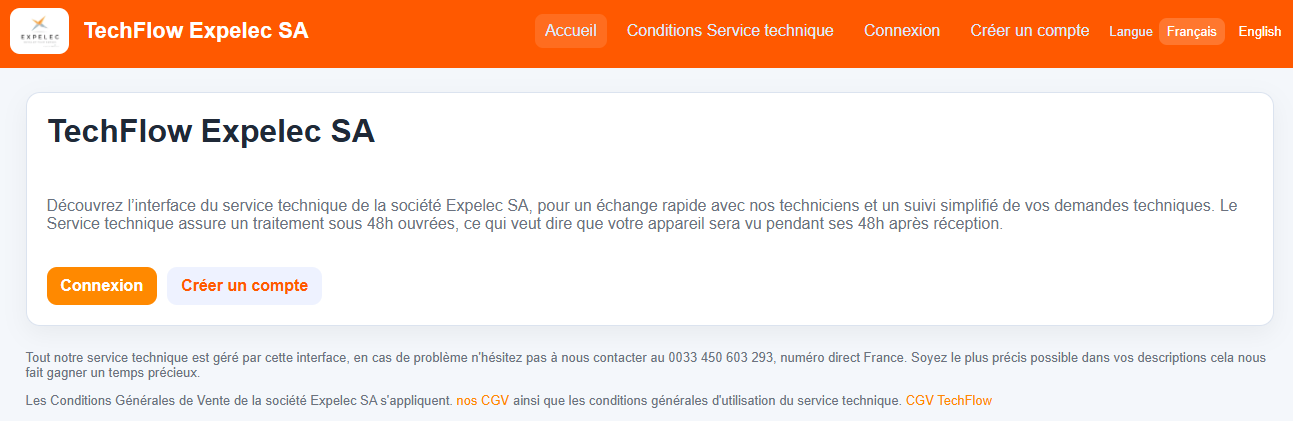
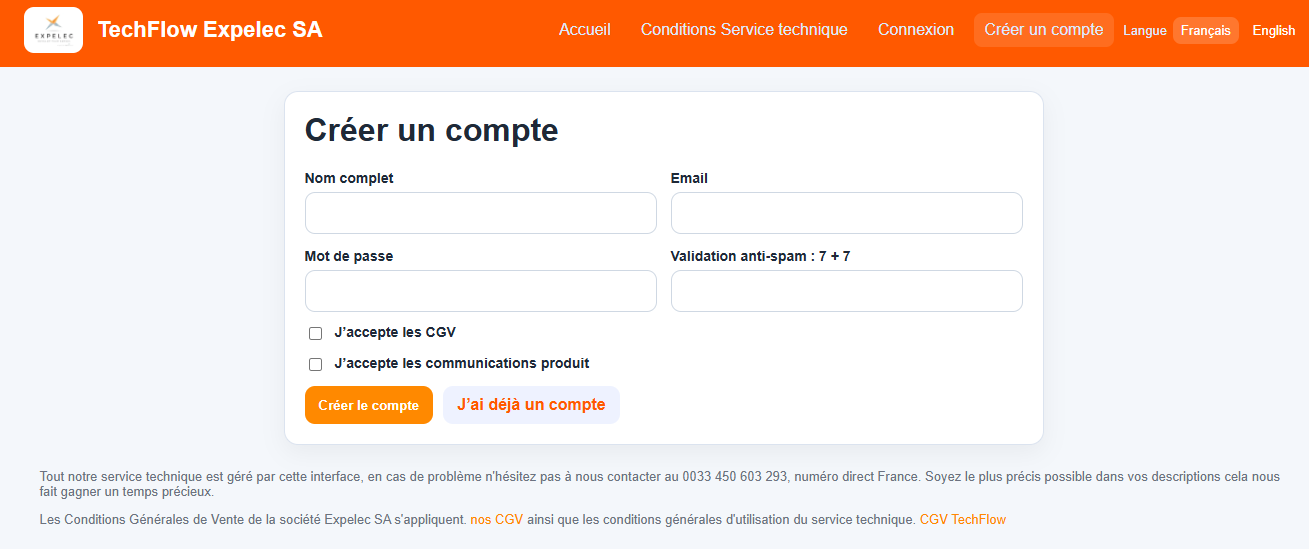
When you arrive at the TechFlow interface, you'll need to create an account (you only need to do this the first time).
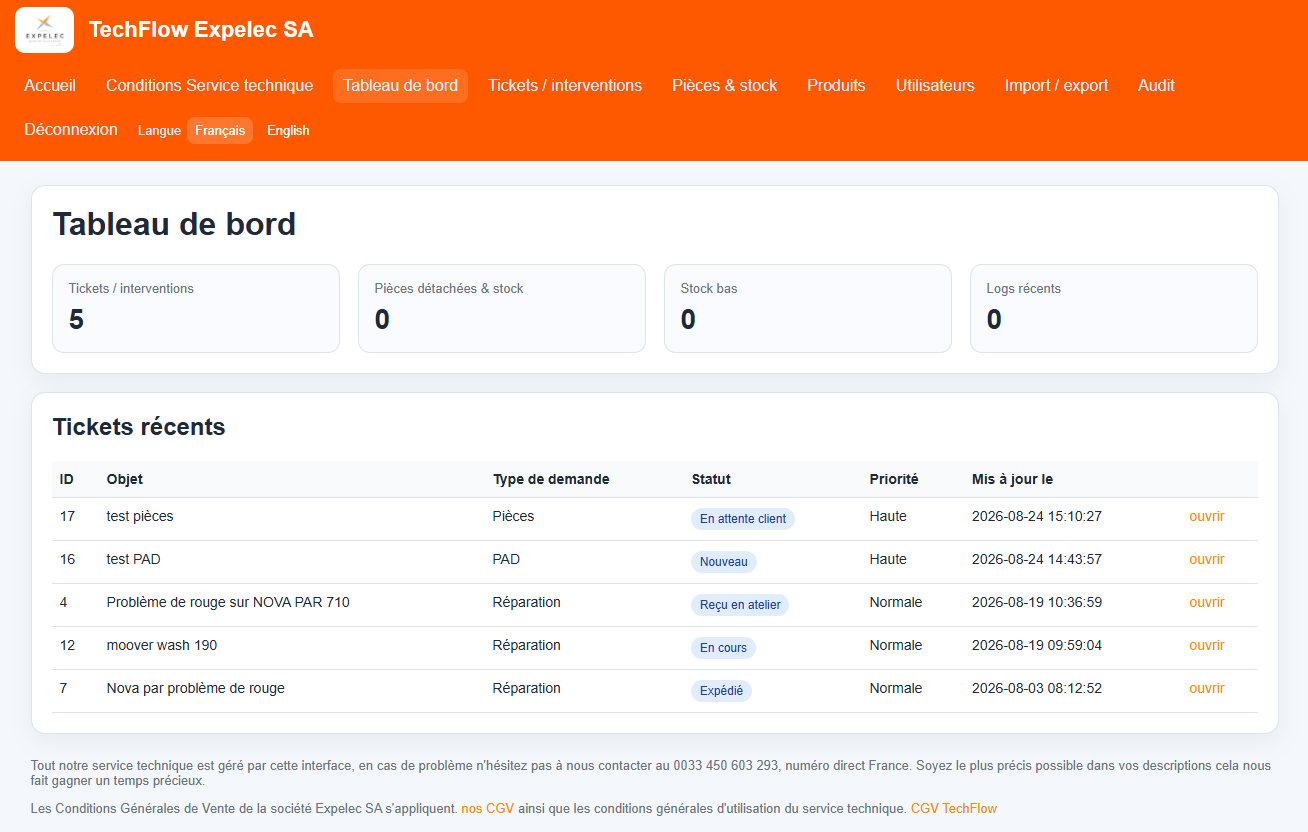
Once you've logged in, you'll be taken to your dashboard, where you can track all your tickets and their statuses.
When creating a new ticket, it is important to fill out all available fields as accurately as possible.
You can create tickets for Repairs, PAD, Parts, and Support.
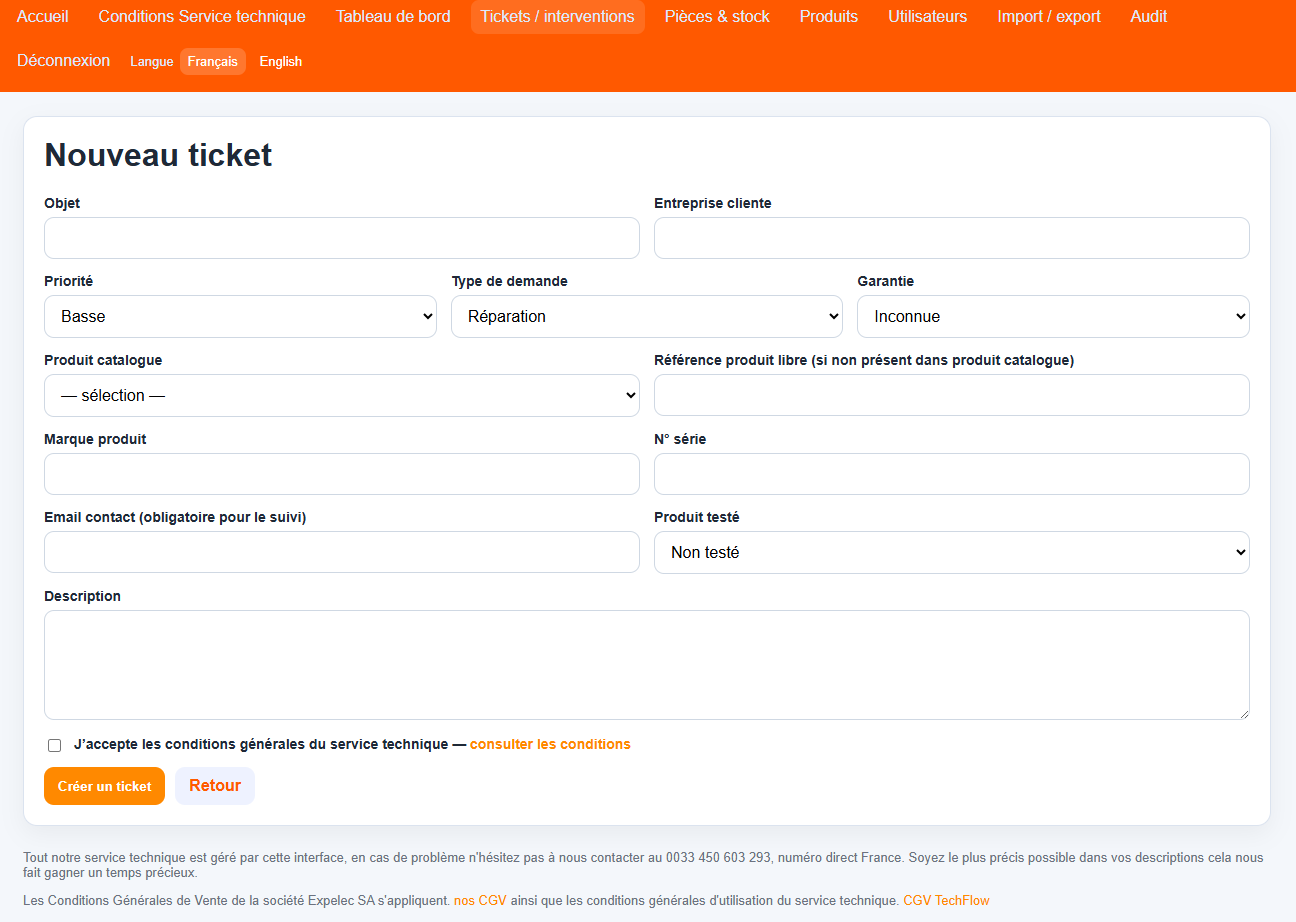
Very important: Be sure to include the serial number and the contact email address of the person handling the case with each ticket so that you can be notified whenever the status changes (received in the workshop, service in progress, waiting for parts, waiting for your response, repaired, shipped)
On the Tickets/Service Calls tab, you can sort, filter, and search your various tickets. Of course, you can also create new tickets.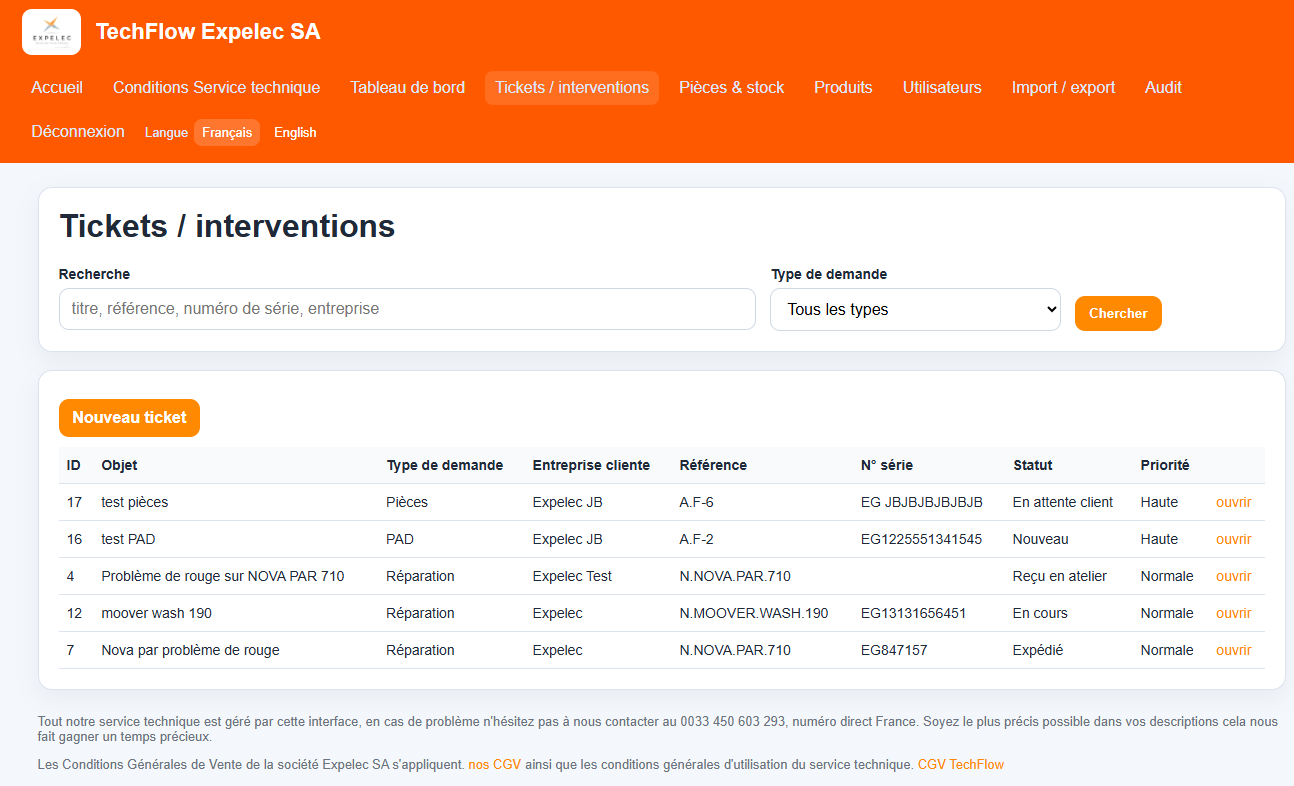
Once your ticket has been created, if your request requires the product to be returned to the repair shop, you will receive a label to attach to your product; this label will ensure that your request is handled properly.
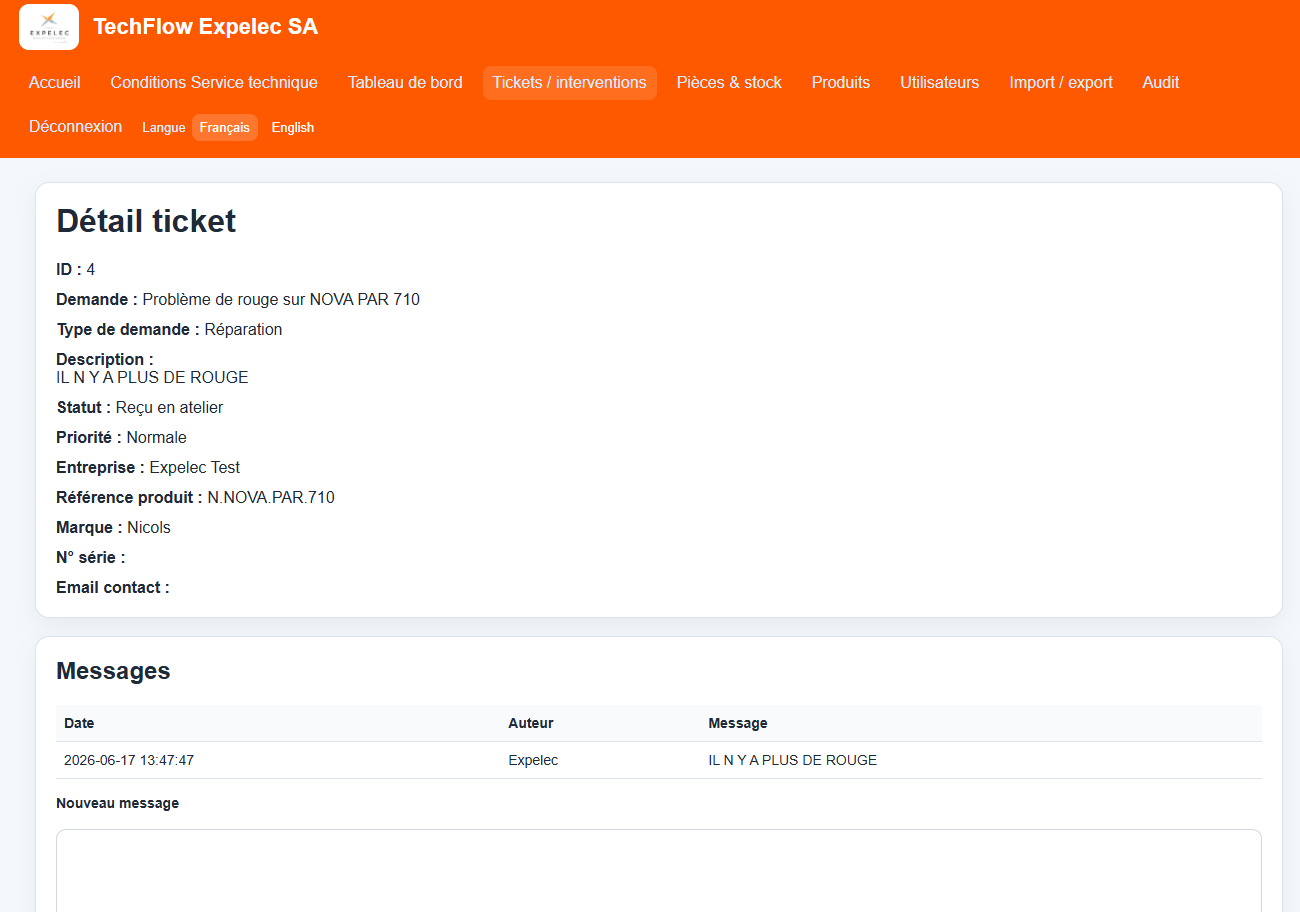
On the ticket details page, you can track the entire process and will be notified at each step. You can communicate with the technical support team, verify that we have received your product and in what condition, approve your quote (if applicable), submit additional documents, view processing times, and more.