Technical Department

Electronics - Mechanics - Optics - Support - ST2M

New Technical Support Interface: Discover TechFlow EXPELEC

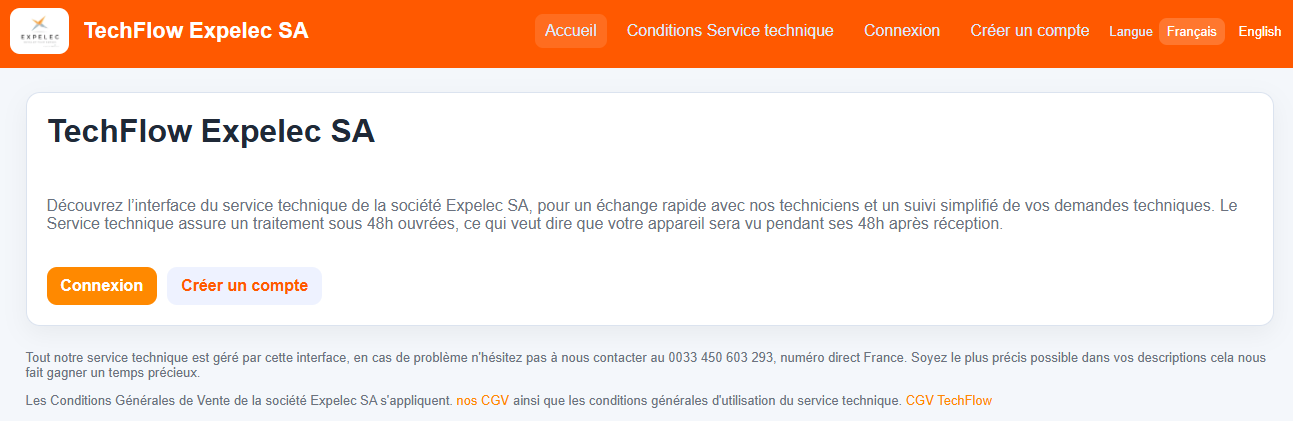
When you arrive at the TechFlow interface, you'll need to create an account (you only need to do this the first time).
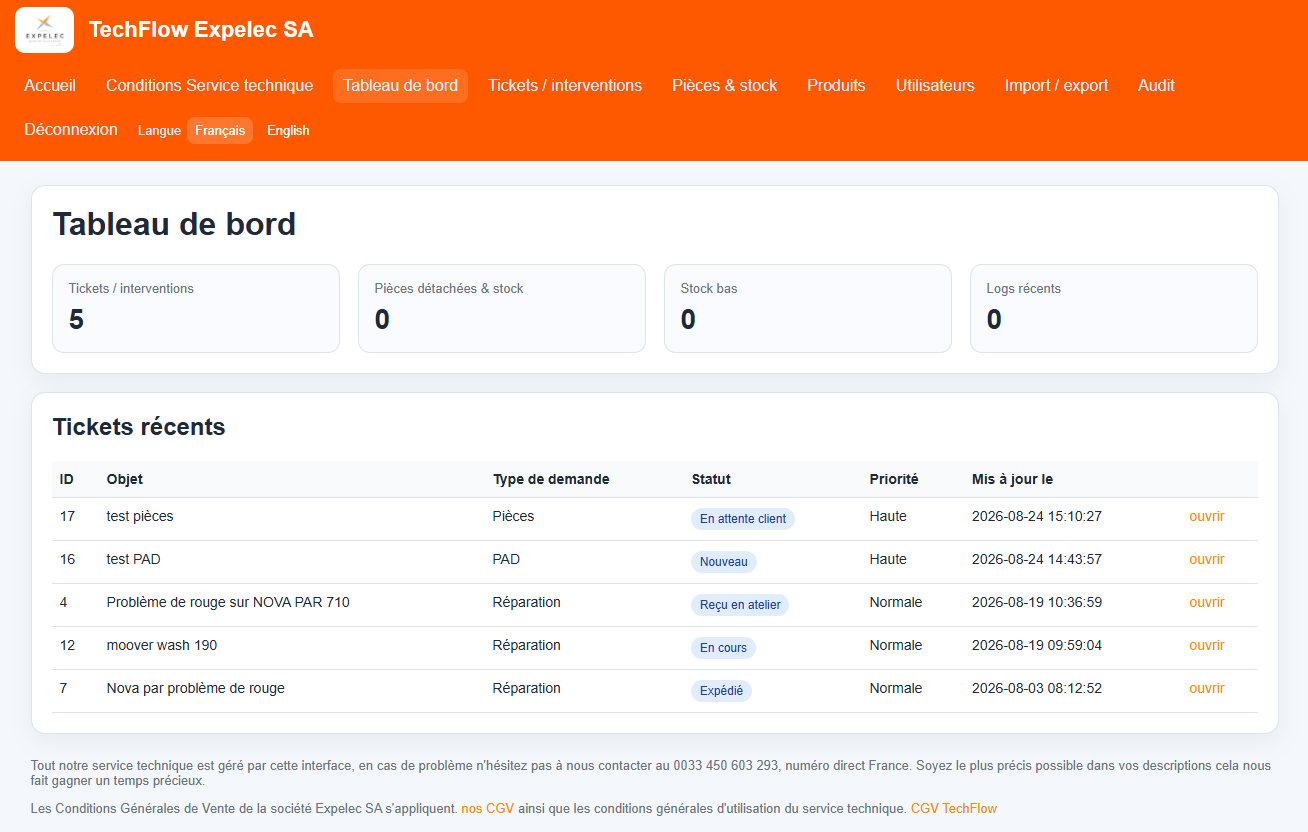
Once you've logged in, you'll be taken to your dashboard, where you can track all your tickets and their statuses.
 

When creating a new ticket, it is important to fill out all available fields as accurately as possible.
You can create tickets for Repairs, PAD, Parts, and Support.
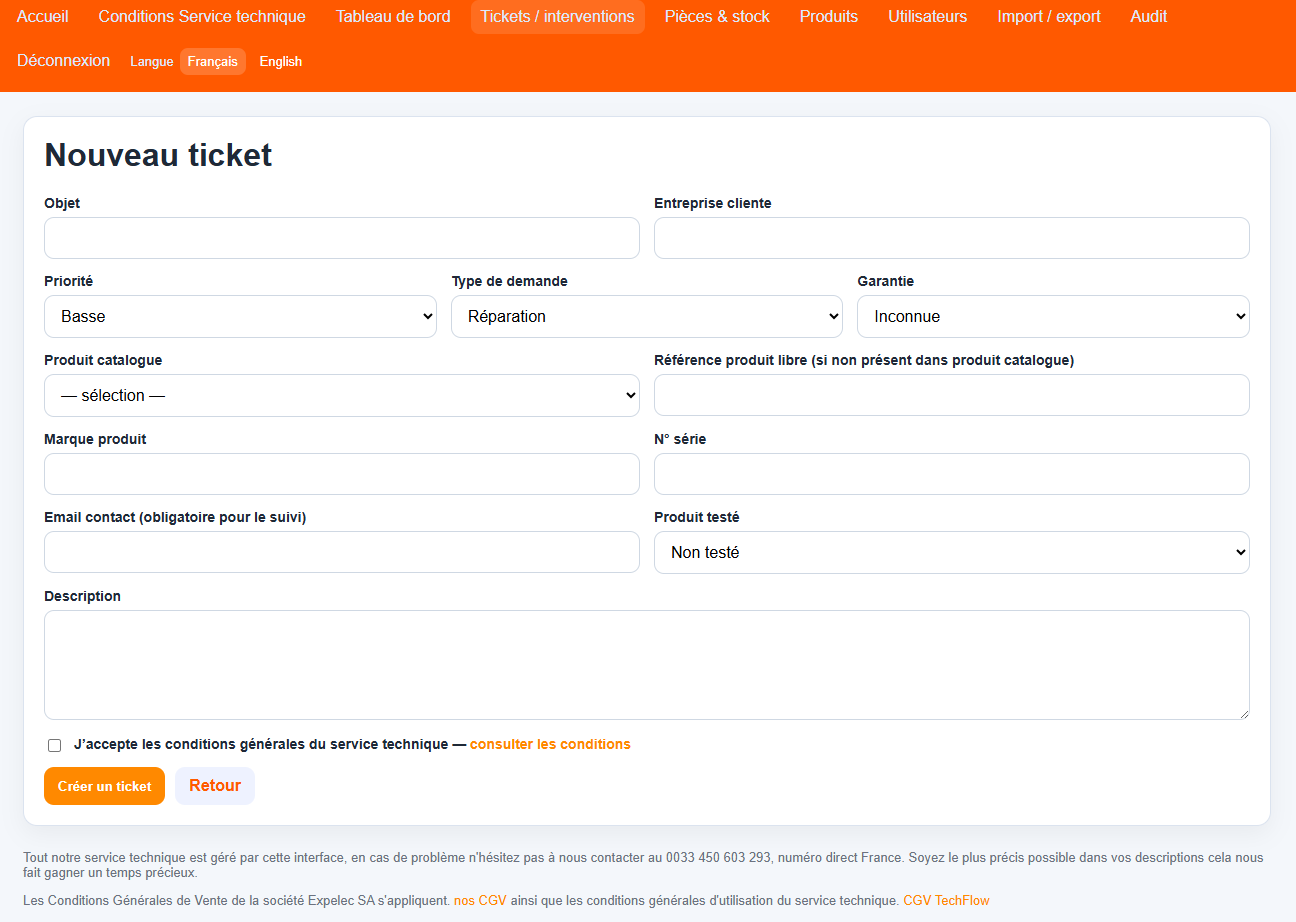
Very important: Be sure to include the serial number and the contact email address of the person handling the case with each ticket so that you can be notified whenever the status changes (received in the workshop, service in progress, waiting for parts, waiting for your response,  repaired, shipped)

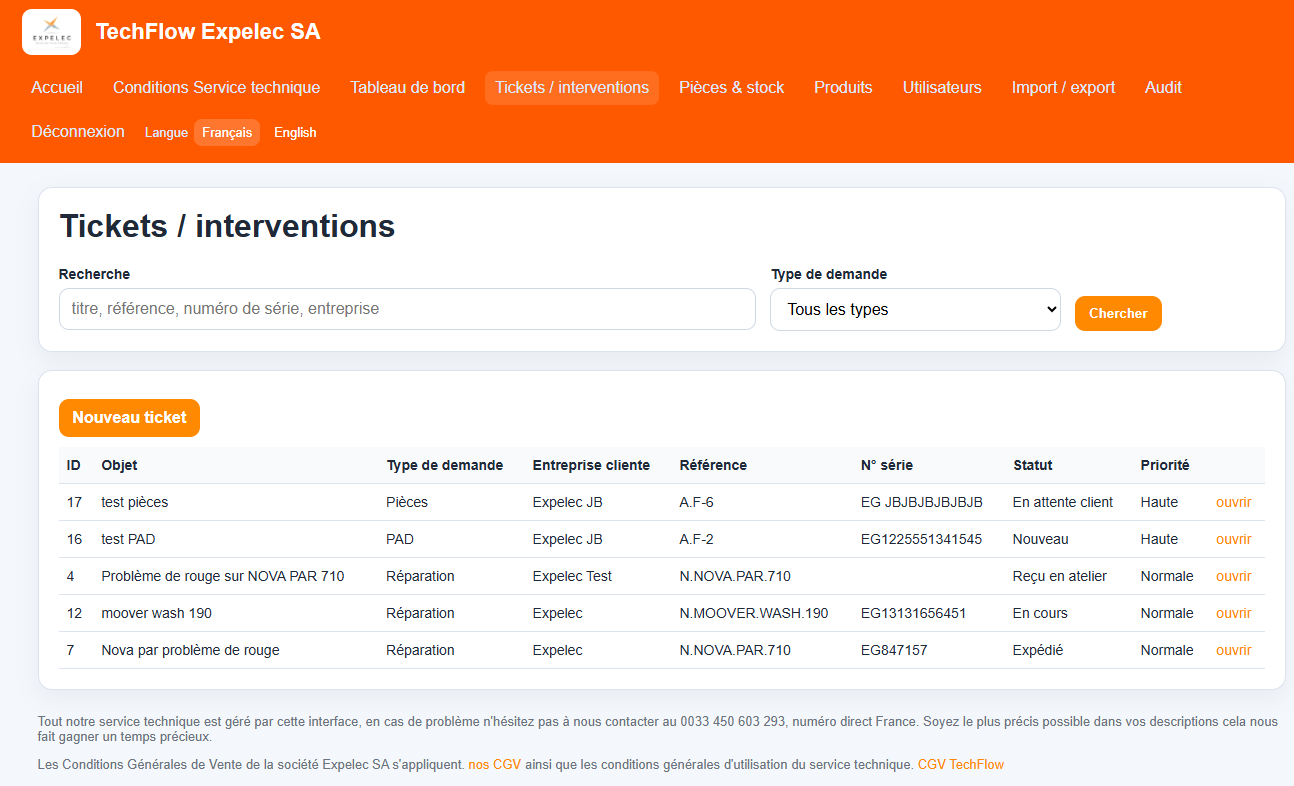
On the Tickets/Service Calls tab, you can sort, filter, and search your various tickets. Of course, you can also create new tickets.
Once your ticket has been created, if your request requires the product to be returned to the repair shop, you will receive a label to attach to your product; this label will ensure that your request is handled properly.
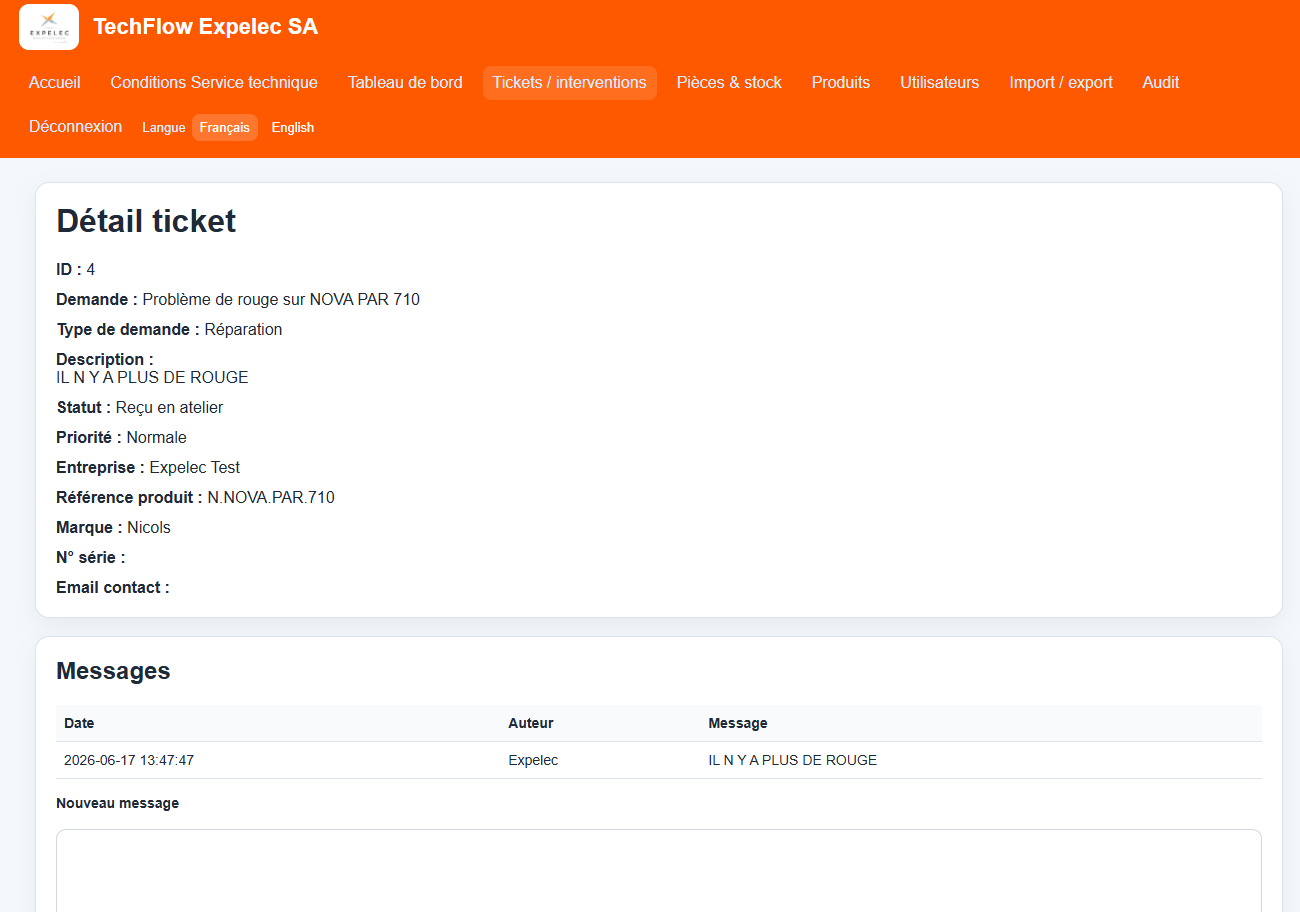
On the ticket details page, you can track the entire process and will be notified at each step. You can communicate with the technical support team, verify that we have received your product and in what condition, approve your quote (if applicable), submit additional documents, view processing times, and more.

Technical service terms and conditions

Before any repair, PAD, parts, or technical support request is processed, the customer confirms acceptance of the technical service conditions described below. The customer thereby accepts the General Terms and Conditions of Sale of Expelec SA Our General conditions .

Scope of service

  • The workshop may perform intake checks, diagnostics, testing, repair, parts replacement, or support work depending on the request.
  • The initial request information provided by the customer is used to open and track the ticket.

Customer responsibilities

  • The customer must provide accurate contact details, product identification, and the most useful fault description possible.
  • The customer remains responsible for backups, data protection, and removal of any confidential data before equipment handover.
  • The customer confirms they are authorized to submit the equipment or request on behalf of the owner or company concerned.

Diagnostics, quotation, and approval

  • A diagnostic step may be required before repair or quotation.
  • Where applicable, repair work can be subject to quote approval by the customer before execution.
  • Any additional work outside the initial scope may require a new approval.

Warranty and exclusions

  • Warranty handling depends on the actual product status, traceability, and the manufacturer's or seller's applicable conditions.
  • Damage caused by misuse, shock, oxidation, unauthorized intervention, or external causes may be excluded from warranty coverage.

Storage, return, and communication

  • The customer accepts communication by email regarding ticket follow-up, quotation, repair status, and collection or return instructions.
  • Equipment, parts, or completed work may be stored for a limited period after notification before additional handling rules apply.

By validating the checkbox during ticket creation, the customer acknowledges and accepts these technical service terms and conditions.